






 |
 |
 |
|
 |
 |
 |
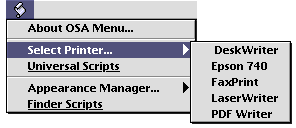
Printing Scripts These scripts deal with selecting printers and desktop printing. Contents: Are you looking for an easy way to select your printer without a trip to the Chooser? Try using an AppleScript Scripting Addition called Use Printer. It has only three commands, and here's how easy it is.
Goto the Chooser and select a printer. In the Script Editor run the following command: Save Printer Configuration This creates a small preference file in the “UsePrinter Prefs” folder with the name of the print driver, for example, DeskWriter 6.0.3. Feel free to rename it to something shorter. To select that printer, create an Apple Script with the following line: Use Printer "DeskWriter 6.0.3"
|
 |
|
 |
 |
 |
|
 |



 After moving
 |
 |
 |
||||||||||||||||||||||||||||||
 |
|
 |
||||||||||||||||||||||||||||||
 |
 |
 |
Maintained by the Staff of ResExcellence. This entire site ©1997-2006 ResExcellence
Privacy Statement? Sure we gotta Privacy Statement.
[an error occurred while processing this directive]