image ResEx Logo
ResExcellence www : Powered by Google
Cell Phone Themes Icons Mighty Mouse Cursors Software Reviews Widgets & Widgets


Files are in Stuffit 5 or greater format.
Free download.

Tell us about a bad link.

Thank You!


Running 19 days
without a restart.

Put The Utility Pattern Back In OS 8
by Michael Coyle, 04-31-1998

Under System 7.x, you could set a background pattern for system utilities with old Desktop Patterns control Panel.


With OS 8 and the arrival of Desktop Pictures that feature was lost.

Here's how to get it back.


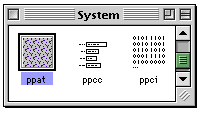
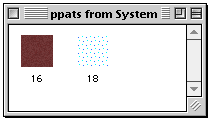
Open a copy of the System Suitcase in ResEdit and scroll down to the ppat resources.

Open them with a double-click.


Your ppats may look different than mine, so don't worry.

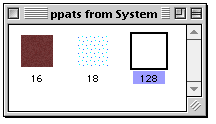
You need to add a new resource with Command-K.


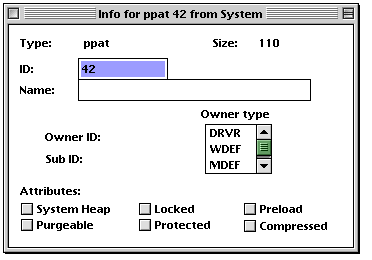
The new resource, it will be numbered 128. You need to change that. Do it "Getting Info...", Command-I.


All you need to do here is change the ID from 128 to 42, then close the widow.


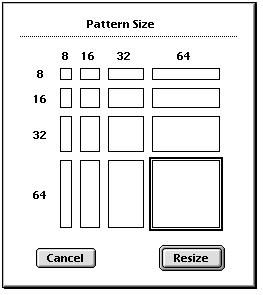
From the menu bar, select ppat > Pattern Size and select the 64x64 square.

Click on Resize to close the window.

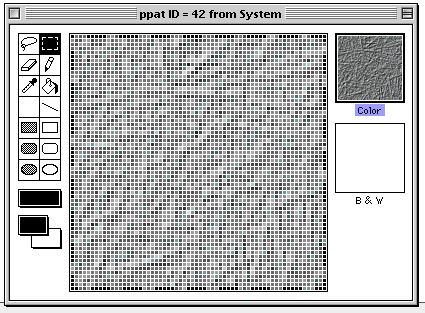
Reopen ppat ID#42 and paste in from the Clipboard a favorite desktop pattern. Save the System and quit ResEdit. Replace the old System suitcase (put it in a safe place until you're sure the edit works), and Restart the computer for the change to take effect.


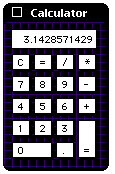
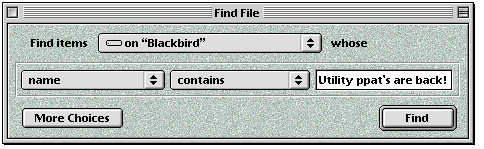
Now when you open a program supporting the Utility Pattern, your windows will look even better!

Have any comments or suggestions for edits? Stop by the Suggestions page.

Cell Phone Themes Icons Mighty Mouse Cursors Software Reviews Widgets & Widgets

Maintained by the Staff of ResExcellence. This entire site ©1997-2006 ResExcellence
Privacy Statement? Sure we gotta Privacy Statement. [an error occurred while processing this directive]