






 |
 |
 |
|
 |
||
 |

Articles 3D Audio Custom Controls General RB Graphics Hacks Mac OS X Menus Novelty Printing REALbasic 2005 REALbasic 2006 Registration Resources Reviews Serial Speech Sockets XML Video Resource Links News Current News February 2006 January 2006 December 2005 November 2005 October 2005 September 2005 August 2005 July 2005 June 2005 May 2005 April 2005 March 2005  REALbasic for Dummies by Erick Tejkowski  Learning REALbasic through Applications REALbasic for Macintosh REALbasic Cross-Platform Application Development 
Older files are in Stuffit 5 or greater format. Newer files are ".Zip". Download StuffIt Expander |

|
 
Preparation
Build the Interface Launch REALbasic. Open Window1 and add a BESTCapture Control to the window from the Toolbar. In the Properties window, turn on the Preview and EnableVideo properties by clicking them. Next, add a PushButton to the window. Arrange the interface to your liking. An example in OS 9 might look like this (this plug-in is OS X compatible too!):
Close Window1 and create a new window by selecting File-New Window. The new window will be named Window2, but you don't have to do anything more to it. Simple, eh? Source Code Open Window1 again and double click PushButton1 to open the Code Editor. To its Action event, add the following code: dim p as picture Believe it or not, that's it! Select Debug-Run to test your code. If all goes well, you should see video when you launch the project. Keep in mind that you will need to have some kind of video source connected to your Mac for this to work. If you encounter troubles and still aren't seeing video as expected, check out the ShowVideoSettings method in the documentation for the plug-in. Conclusion That's all for this week. You can download the completed project. Have fun playing with your new toy and see you next week! |
 |
||
 |
 |
 |
|
 |




 This week we'll build a video surveillance application. It's great fun for spying on your kid sis, keeping an eye on your toddler, or watching the sunset... all without leaving your computer. Not only is it fun and useful, but it's also really easy to get started with video in REALbasic. We'll show you how!
  There's a new video and audio capture plug-in on the block: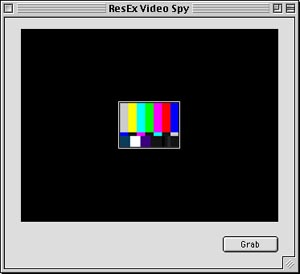
 |
 |
 |
||||||||||||||||||||||||||||||
 |
|
 |
||||||||||||||||||||||||||||||
 |
 |
 |
Maintained by the Staff of ResExcellence. This entire site ©1997-2006 ResExcellence
Privacy Statement? Sure we gotta Privacy Statement.
[an error occurred while processing this directive]