






 |
 |
 |
|
 |
|||||||||||||||||
 |

Articles 3D Audio Custom Controls General RB Graphics Hacks Mac OS X Menus Novelty Printing REALbasic 2005 REALbasic 2006 Registration Resources Reviews Serial Speech Sockets XML Video Resource Links News Current News February 2006 January 2006 December 2005 November 2005 October 2005 September 2005 August 2005 July 2005 June 2005 May 2005 April 2005 March 2005  REALbasic for Dummies by Erick Tejkowski  Learning REALbasic through Applications REALbasic for Macintosh REALbasic Cross-Platform Application Development 
Older files are in Stuffit 5 or greater format. Newer files are ".Zip". Download StuffIt Expander |

|
 
NOTE: This project requires REALbasic 4.5 or newer! The new VirtualVolume feature of REALbasic is easy to learn, quick to code, and is a pretty handy tool for your next REALbasic project. The VirtualVolume class lets you store multiple files in one file. This is somewhat like the disk images that you may have used in the Finder. Since REALbasic 4.5 gives you this feature across all of its target platforms (OS9, OSX, and Win32), we'll build today's example using the Classic Mac OS. Build the Interface Launch REALbasic and open Window1 from the Project window. To this window, add the following controls:
Arrange the interface however you want. It might look like this:
Source Code That's it for the interface, now it's time to add some code. The code we'll add goes in the Action event of PushButton1 and PushButton2. First, PushButton1: dim f,root,textfile,numberfile as folderItem Then, it's time for PushButton2 dim f,root,textfile,numfile as folderItem As you can tell, there isn't much to learn here, but there is much to gain. Creating a VirtualVolume requires use of the new "CreateVirtualVolume" method of the FolderItem class. Once you have a VirtualVolume, you find it's root using the "Root" method. From there, it's standard REALbasic code. Conclusion To test the project, select the Debug-Run menu. The demo creates a VirtualVolume on the desktop and adds two files to it. Clicking the other PushButton will retrieve the data from the VirtualVolume. As usual you can download the completed project instead of creating it by hand. Use your imagination when playing with the new VirtualVolume features of REALbasic 4.5. There are many useful possibilities for using this feature:
|
 |
|||||||||||||||||
 |
 |
 |
|
 |




 To continue our examinination of the new features in REALbasic 4.5, we'll look at Virtual Volumes this week. If you've ever needed to store different kinds of data in one file, REALbasic's Virtual Volumes are for you!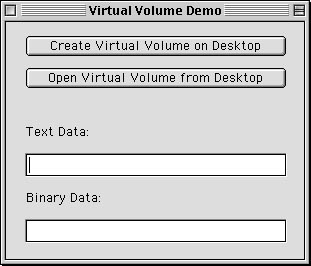
 |
 |
 |
||||||||||||||||||||||||||||||
 |
|
 |
||||||||||||||||||||||||||||||
 |
 |
 |
Maintained by the Staff of ResExcellence. This entire site ©1997-2006 ResExcellence
Privacy Statement? Sure we gotta Privacy Statement.
[an error occurred while processing this directive]