






 |
 |
 |
|
 |
||
 |

Articles 3D Audio Custom Controls General RB Graphics Hacks Mac OS X Menus Novelty Printing REALbasic 2005 REALbasic 2006 Registration Resources Reviews Serial Speech Sockets XML Video Resource Links News Current News February 2006 January 2006 December 2005 November 2005 October 2005 September 2005 August 2005 July 2005 June 2005 May 2005 April 2005 March 2005  REALbasic for Dummies by Erick Tejkowski  Learning REALbasic through Applications REALbasic for Macintosh REALbasic Cross-Platform Application Development 
Older files are in Stuffit 5 or greater format. Newer files are ".Zip". Download StuffIt Expander |

|
 
Working with the iPod in REALbasic is really just as easy as working with files on any other drive. There are, however, a few simple secrets you need to know about first. Let's see what those secrets are! iPod Secrets Build the Interface
Next, add a Property to Window1 to keep track of the found iPods. Add the Code
Once we find an iPod, its a simple matter to loop through all of the music folders to search for files. Add the following code to the Action event of PushButton2 to scan the iPod for tunes.
Conclusion If you have a lot of files on your iPod, you might notice that this code takes some time to find the files. Worse yet, it seems to lock up the interface while it searches. Next week we'll see how to give the user some feedback while the project searches for files. We'll also make the application more responsive by "threading" the heavy lifting. Finally, we'll improve the utility by allowing the user the copy files from the iPod to another hard drive. See you next week! |
 |
||
 |
 |
 |
|
 |




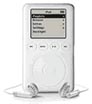 Have you ever wondered how all those neat iPod utilities work? This week we start a multi-week tutorial about using REALbasic to have some fun with your iPod. Everyone knows that an iPod is really just a specialized external hard drive. When you mount your iPod on the desktop, you can double-click its icon to view its contents, copy files to the iPod, and select "Get Info" to learn about the drive.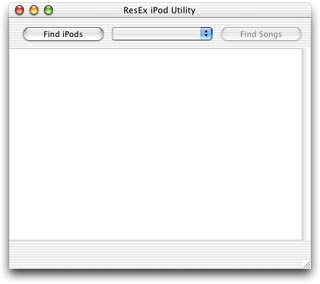
 |
 |
 |
||||||||||||||||||||||||||||||
 |
|
 |
||||||||||||||||||||||||||||||
 |
 |
 |
Maintained by the Staff of ResExcellence. This entire site ©1997-2006 ResExcellence
Privacy Statement? Sure we gotta Privacy Statement.
[an error occurred while processing this directive]