






 |
 |
 |
|
 |
||
 |

Articles 3D Audio Custom Controls General RB Graphics Hacks Mac OS X Menus Novelty Printing REALbasic 2005 REALbasic 2006 Registration Resources Reviews Serial Speech Sockets XML Video Resource Links News Current News February 2006 January 2006 December 2005 November 2005 October 2005 September 2005 August 2005 July 2005 June 2005 May 2005 April 2005 March 2005  REALbasic for Dummies by Erick Tejkowski  Learning REALbasic through Applications REALbasic for Macintosh REALbasic Cross-Platform Application Development 
Older files are in Stuffit 5 or greater format. Newer files are ".Zip". Download StuffIt Expander |

|
 
If you'd like to follow along with this week's project, download a copy of last week's finished project and open it with REALbasic. You can also go back and read the original tutorial in case you missed it. Enhance the Interface
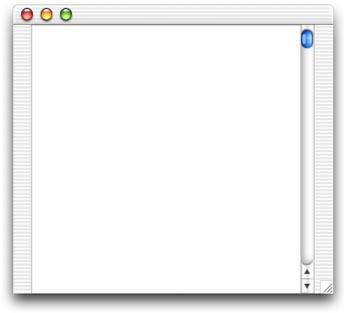
Next, create a new window by selecting File-New Window. This window will function as a drawer, so change its Frame property to "Drawer Window". (REALbasic 5.1 required). Open the new window (named Window2) and add an EditField control to it. Resize the EditField and its MultiLine property checkbox in the Properties window. Here's what my Window2 looks like:
Add the Code First, we'll want to enable the "Info" button when an iPod is found. Double click PushButton1 and locate this line of code PushButton2.enabled=TRUE Add one line of code immediately after this PushButton2 code to enable PushButton4. PushButton2.enabled=TRUE Next, add the following code to the Action event of PushButton4.
As you can tell from this code, the system information is found in the file MyiPod/iPod_control/Device/SysInfo. One other new item is the ShowWithin method. When you call this for a Drawer window, it behaves as a drawer. The number 2 indicates that it will open on the right edge of its parent window. Conclusion |
 |
||
 |
 |
 |
|
 |




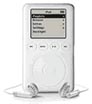 Have you ever wondered how all those neat iPod utilities work? This week we'll continue our multi-week tutorial about using REALbasic to have some fun with your iPod. This week we'll finish up by showing how to view system information about a connected iPod.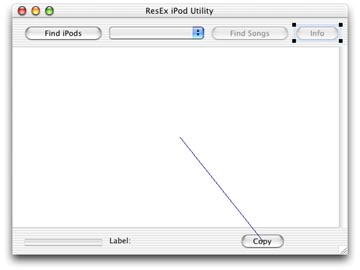
 |
 |
 |
||||||||||||||||||||||||||||||
 |
|
 |
||||||||||||||||||||||||||||||
 |
 |
 |
Maintained by the Staff of ResExcellence. This entire site ©1997-2006 ResExcellence
Privacy Statement? Sure we gotta Privacy Statement.
[an error occurred while processing this directive]