






 |
 |
 |
|
 |
||
 |

Articles 3D Audio Custom Controls General RB Graphics Hacks Mac OS X Menus Novelty Printing REALbasic 2005 REALbasic 2006 Registration Resources Reviews Serial Speech Sockets XML Video Resource Links News Current News February 2006 January 2006 December 2005 November 2005 October 2005 September 2005 August 2005 July 2005 June 2005 May 2005 April 2005 March 2005  REALbasic for Dummies by Erick Tejkowski  Learning REALbasic through Applications REALbasic for Macintosh REALbasic Cross-Platform Application Development 
Older files are in Stuffit 5 or greater format. Newer files are ".Zip". Download StuffIt Expander |

|
 
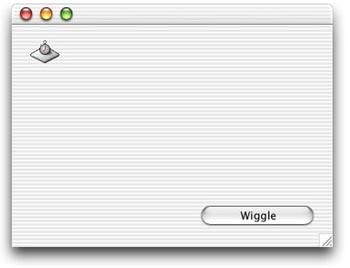
Should you accidentally enter the wrong password while logging onto an OS X machine, you'll notice that the login window wiggles back and forth a few times. In fact, it looks like the login window is shaking its head "NO!" at you. This week we'll look at how to implement this functionality with REALbasic. It turns out that it's very simple to accomplish, so let's get started. Build the Interface
Add the Code
Next, enter this code in the Action event of PushButton1.
Finally, add this code to the Action event of Timer1. By clicking the PushButton, you reset some variables that keep track of the position of the window as well as the number of wiggles. Then, the timer starts firing. As the timer fires, it increases the wiggle counter and alternates the position of the window between its two positions. Once the counter exceeds 5, the timer stops. Simple, eh? Conclusion |
 |
||
 |
 |
 |
|
 |




 |
 |
 |
||||||||||||||||||||||||||||||
 |
|
 |
||||||||||||||||||||||||||||||
 |
 |
 |
Maintained by the Staff of ResExcellence. This entire site ©1997-2006 ResExcellence
Privacy Statement? Sure we gotta Privacy Statement.
[an error occurred while processing this directive]