image ResEx Logo
ResExcellence www : Powered by Google
Cell Phone Themes Icons Mighty Mouse Cursors Software Reviews Widgets & Widgets

Articles
   3D
   Audio
   Custom Controls
   General RB
   Graphics
   Hacks
   Mac OS X
   Menus
   Novelty
   Printing
   REALbasic 2005
   REALbasic 2006
   Registration
   Resources
   Reviews
   Serial
   Speech
   Sockets
   XML
   Video
Resource Links
News
   Current News
   February 2006
   January 2006
   December 2005
   November 2005
   October 2005
   September 2005
   August 2005
   July 2005
   June 2005
   May 2005
   April 2005
   March 2005


REALbasic for Dummies
by Erick Tejkowski


Learning REALbasic through Applications
by Clayton E., Crooks II


REALbasic for Macintosh
by Michael Swaine


REALbasic Cross-Platform Application Development
by Mark S. Choate


Older files are in Stuffit 5 or greater format. Newer files are ".Zip". Download StuffIt Expander
Tell us about a bad link. Thank You!

Window Menu by Seth Willits
06-12-04

Printer Version


Window Menu
In Mac OS X there's a super easy way to get a window menu into an application (it's two lines of code), but unfortunately, due to the way the menu system in REALbasic works, we're not able to use the convenient luxury. Instead we have to make our own. A lot of people wonder how to create one and I always refer them to the Window Menu example written by Charles "abstraction is my middle name" Yeomans. Today, needing it myself, I realized how over complicated Charles made it so I wrote my own which requires 1 drag and drop, 1 key combo, 2 popup selections, and 1 line of code.

Oranization
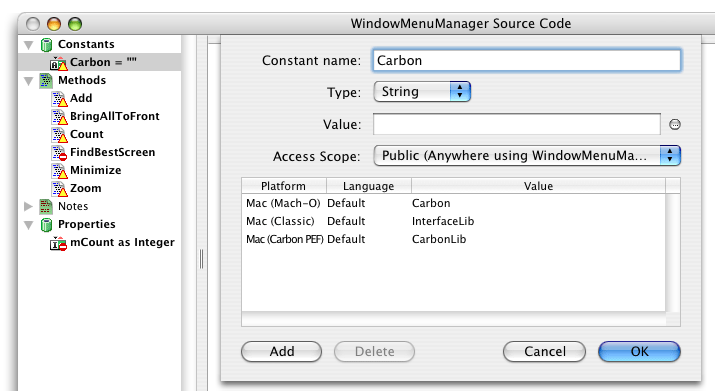
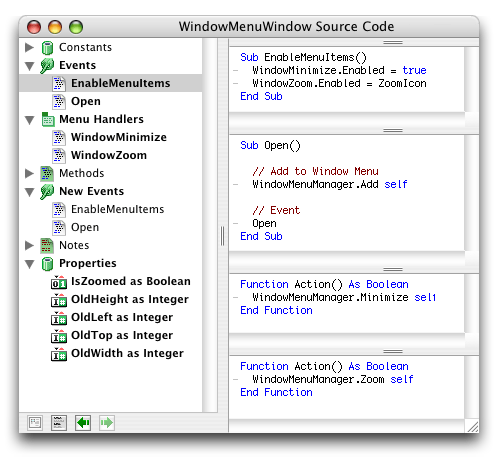
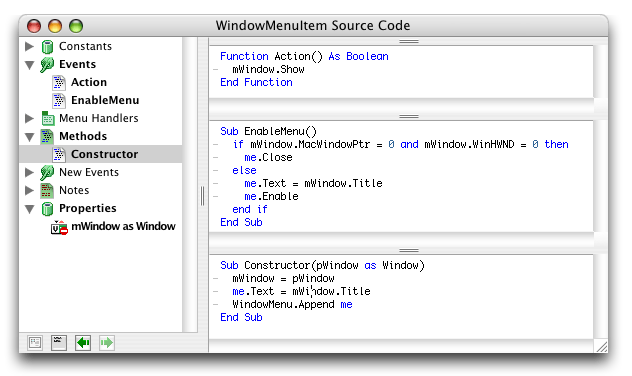
The code is simply laid out so there's not much to say. There is a "WindowMenuManager" module which contains the code that performs zooming, minimizing, "bringing to the front," as well as adding new menu items to the window menu. There is also a WindowMenuItem class which implements the behavior of the menu items for each window. (You needn't ever worry about this class, but feel free to peer into it.) And there is also the WindowMenuWindow window subclass which when used automatically puts a menu item into the window menu and enables the minimize and zoom menu items when proper.

To Use It
Now the simple steps to using the code provided, are simply to drag the three items into your own project as well as the menu if you're starting out (change the menu names if you need to for whatever reason), add a menu handler in the application class for WindowBringAllToFront which simply calls WindowMenuManager.BringAllToFront, and then select "WindowMenuWindow" as the super value for all the windows you want to be included in the Window menu.

Finished
So that's it. It works like a charm. I haven't thoroughly tested this, but it should work great, hopefully even on Windows. As always, you can download the project here.


Cell Phone Themes Icons Mighty Mouse Cursors Software Reviews Widgets & Widgets

Maintained by the Staff of ResExcellence. This entire site ©1997-2006 ResExcellence
Privacy Statement? Sure we gotta Privacy Statement. [an error occurred while processing this directive]