image ResEx Logo
ResExcellence www : Powered by Google
Cell Phone Themes Icons Mighty Mouse Cursors Software Reviews Widgets & Widgets

Articles
   3D
   Audio
   Custom Controls
   General RB
   Graphics
   Hacks
   Mac OS X
   Menus
   Novelty
   Printing
   REALbasic 2005
   REALbasic 2006
   Registration
   Resources
   Reviews
   Serial
   Speech
   Sockets
   XML
   Video
Resource Links
News
   Current News
   February 2006
   January 2006
   December 2005
   November 2005
   October 2005
   September 2005
   August 2005
   July 2005
   June 2005
   May 2005
   April 2005
   March 2005


REALbasic for Dummies
by Erick Tejkowski


Learning REALbasic through Applications
by Clayton E., Crooks II


REALbasic for Macintosh
by Michael Swaine


REALbasic Cross-Platform Application Development
by Mark S. Choate


Older files are in Stuffit 5 or greater format. Newer files are ".Zip". Download StuffIt Expander
Tell us about a bad link. Thank You!

Hover ListBox by Seth Willits
06-18-05

Printer Version


Using a New Feature From REALbasic 2005!
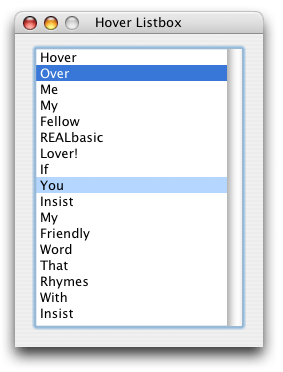
In this tutorial, we're going to use a new feature of the ListBox class, the RowFromXY method, which as it is named, returns a row index given an x, y coordinate pair inside of the Listbox's bounds. In this tutorial, we'll use the RowFromXY method to highlight the row the cursor is over, a simple act which in RB 5.5 was more trouble than it was worth.


Let's Begin
First, start off by creating a new ListBox subclass called "HoverListBox". Then add two protected Integer properties, mHoverRow and mLastHoverRow, and add a new method HoverRow which returns an Integer. The HoverRow method will simply return the value of mHoverRow In the Open event of the HoverListBox class set the value of mHoverRow and mLastHoverRow to -1.

Now that the setup is done, we can begin with the real work (if you could call it that). First, the MouseMove event of the HoverRow class should save the previously hovered-over row which is stored in the mHoverRow variable. Then, using the RowFromXY method, the row the mouse cursor is currently hovering over is saved. Both rows are redrawn using the InvalidateCell method, and passing -1 as the column. This redraws all columns in that row.

Sub MouseMove(X As Integer, Y As Integer)  
  
  // Find New Hover Row
  mLastHoverRow = mHoverRow
  mHoverRow = Me.RowFromXY(x, y)
  
  // Redraw Previous Cell
  if mLastHoverRow <> -1 then
    Me.InvalidateCell mLastHoverRow, -1
  end if
  
  // Redraw Current Cell
  if mHoverRow <> -1 then
    Me.InvalidateCell mHoverRow, -1
  end if
  
  
  // Call the Instance Event
  MouseMove X, Y
End Sub


Besides the MouseMove event, we also need to handle the case where the mouse cursor moves outside of the ListBox, since at that point no row will be hovered over.

Sub MouseExit()
  
  // Find New Hover Row
  mLastHoverRow = mHoverRow
  mHoverRow = -1
  
  // Redraw Previous Cell
  if mLastHoverRow <> -1 then
    Me.InvalidateCell mLastHoverRow, -1
  end if  
  
  // Call the Instance Event
  MouseExit
  
End Sub


Before invalidating anything, we first check to see if the row is a valid index. If it weren't, pasing -1, -1 to the InvalidateCell method would redraw the entire ListBox everytime the mouse moved!


Testing It
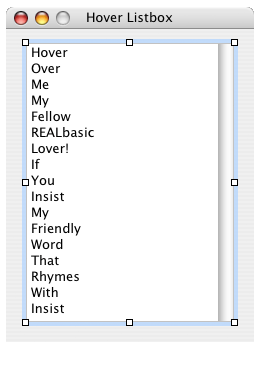
To test the class, create a new HoverListBox instance in Window1 and then place the code below in the CellBackgroundPaint event as shown.

Function CellBackgroundPaint(g As Graphics, row As Integer, column As Integer) As Boolean
  if row = me.HoverRow then
    g.ForeColor = HighlightColor
    g.FillRect 0, 0, g.Width, g.Height
  end if
End Function


Finished
All done! As always, you can download the project here.


Cell Phone Themes Icons Mighty Mouse Cursors Software Reviews Widgets & Widgets

Maintained by the Staff of ResExcellence. This entire site ©1997-2006 ResExcellence
Privacy Statement? Sure we gotta Privacy Statement. [an error occurred while processing this directive]